
















Free · open source · opens in a browser tab
Your agents wrote 300 pages this week.
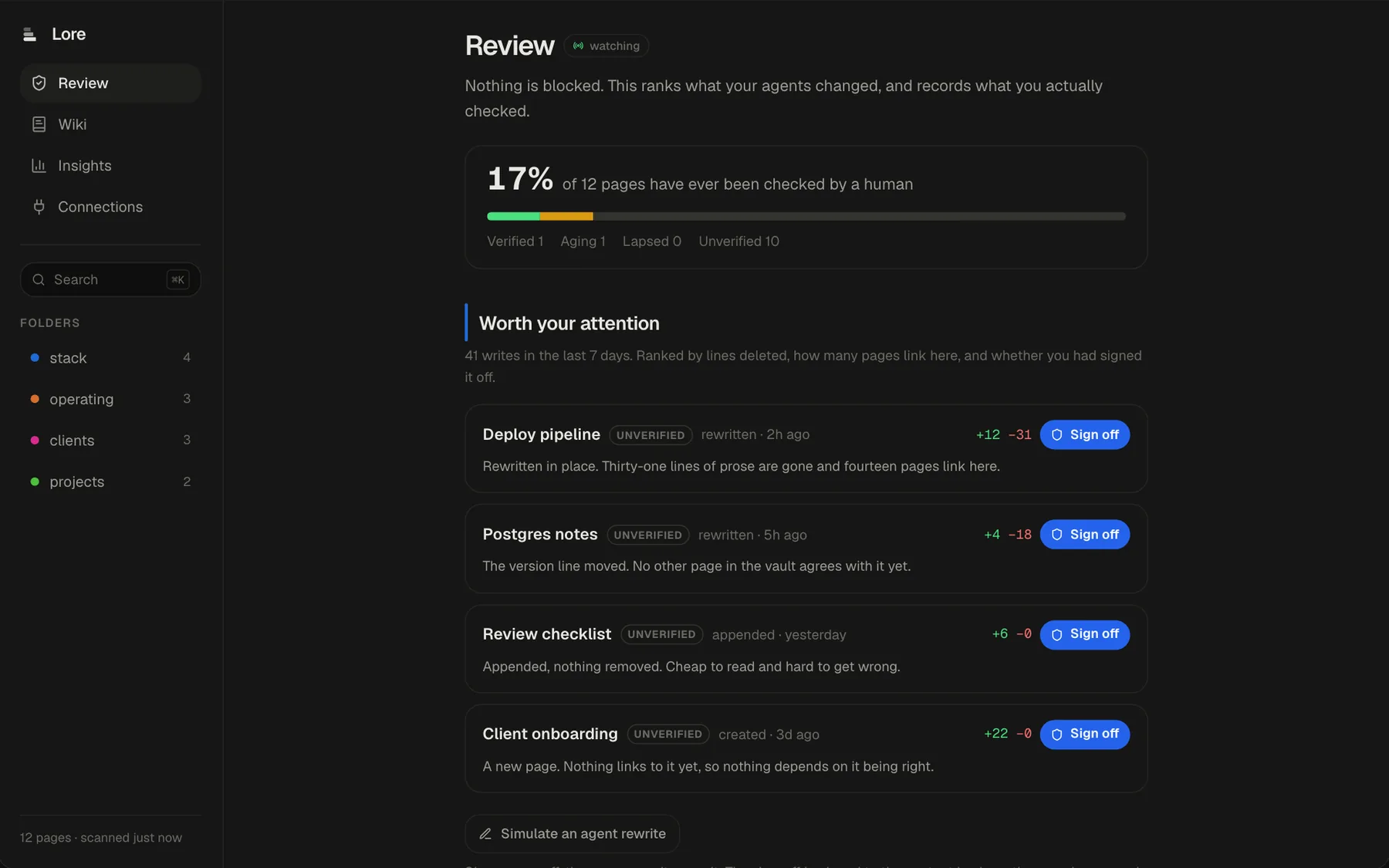
The wiki for all your agents: point it at the markdown folder they write to, and it tells you what changed and what is now true

Lore
Web app
Native Mac utilities, iPhone apps, web apps that are live right now, and a game built from a fake mobile ad. 33 have public source. 7 you can open in the next minute.
A wiki for your agents, a free Mac download, something still in the lab and something live — one of each kind of thing you'll find here.
Free · open source · opens in a browser tab
The wiki for all your agents: point it at the markdown folder they write to, and it tells you what changed and what is now true
Lore
Web app
Free download · open source
Share your screen with your name and today's date tiled across it, so a leaked frame points home
Ghostmark
macOS · Menu bar
In the lab
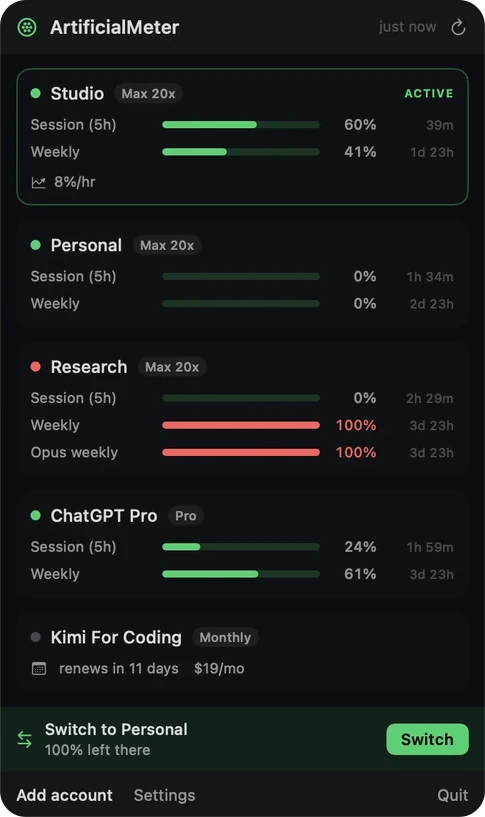
Every Claude subscription's session and weekly limits in the menu bar, read side by side — and a one-click switch to the one with room
ArtificialMeter
macOS · Menu bar
Live now
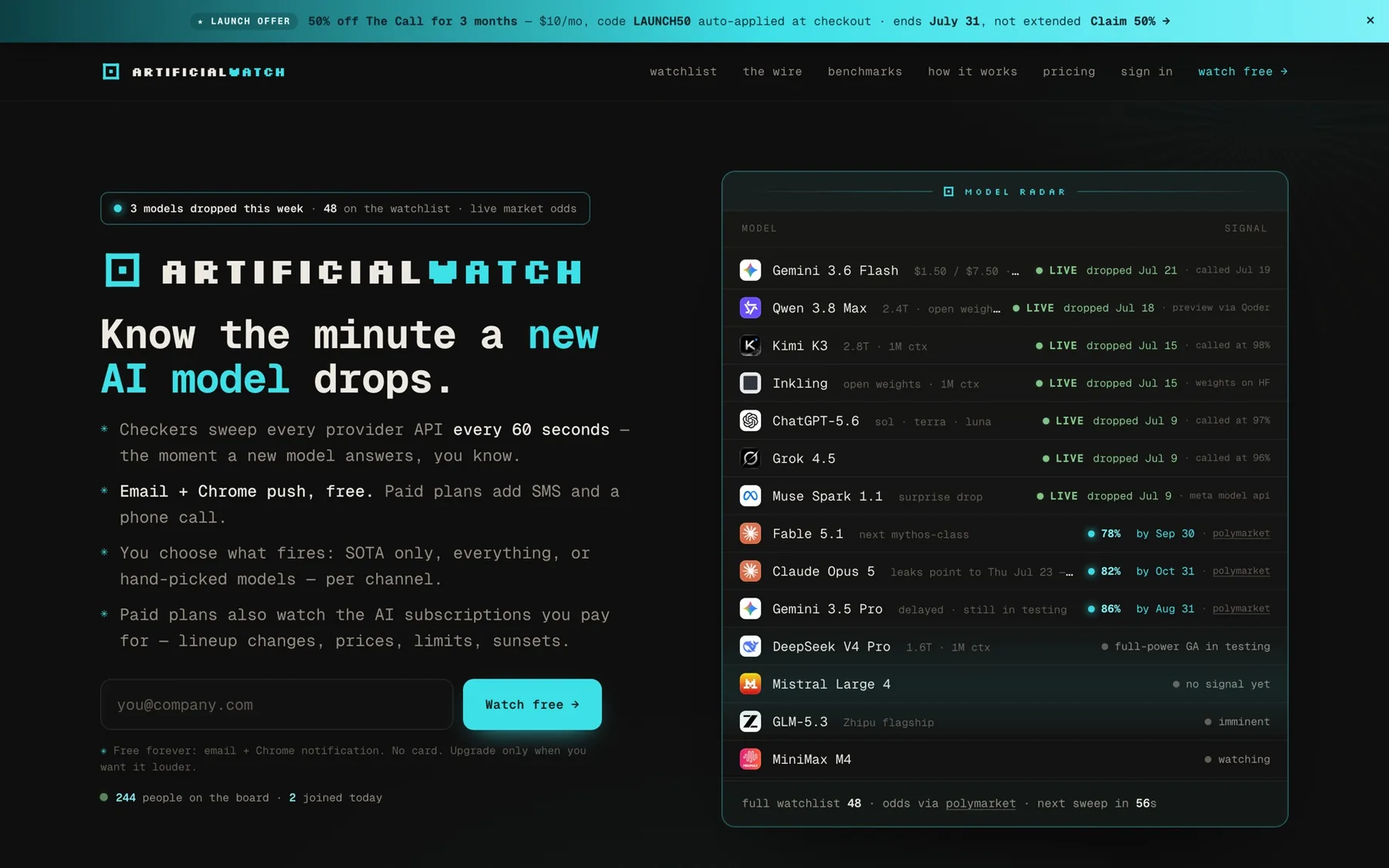
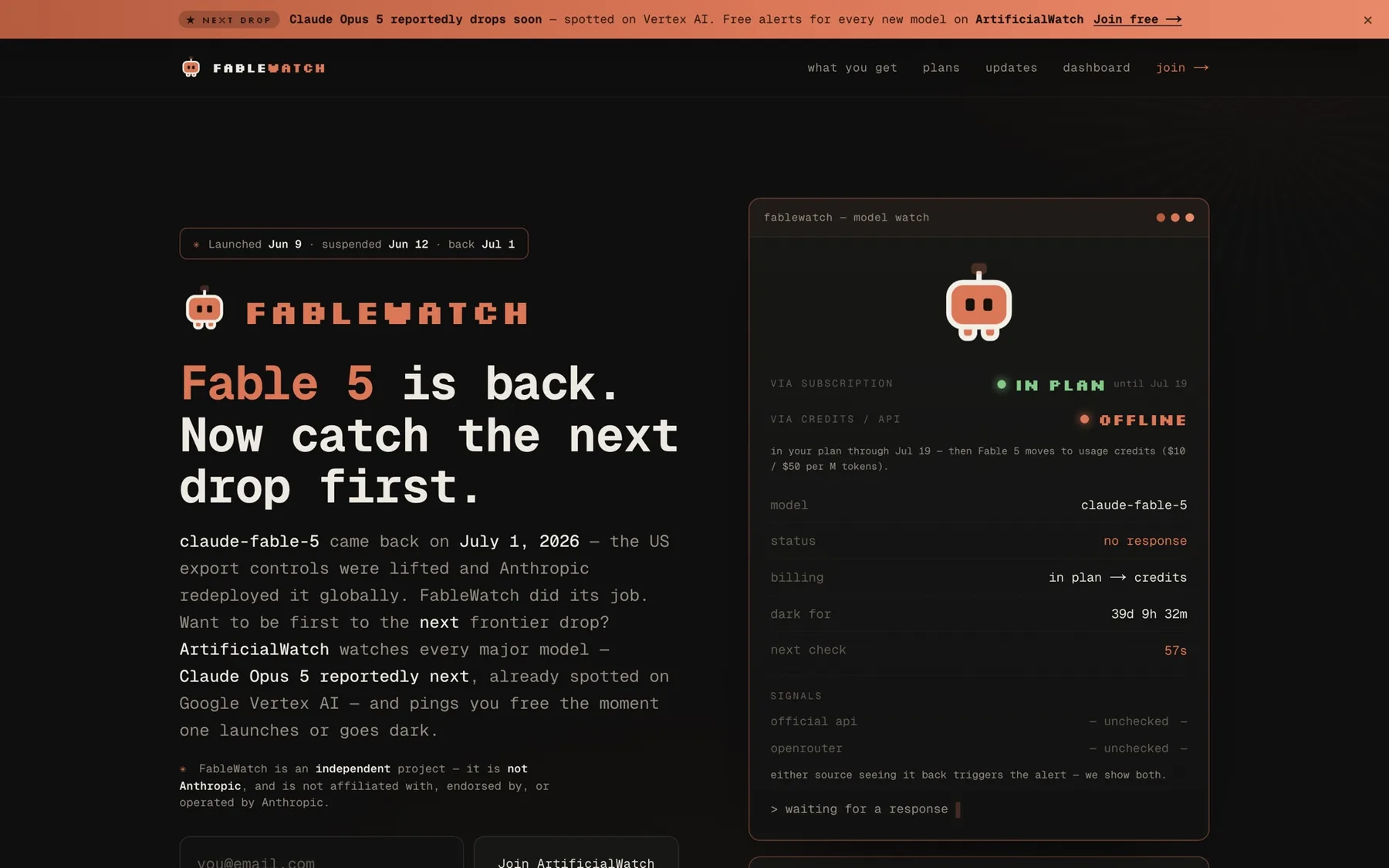
Know the minute a new AI model drops — every provider API swept every 60 seconds
ArtificialWatch
Web app
7 you can open or download this minute.
Web app
Know the minute a new AI model drops — every provider API swept every 60 seconds
Web · iOS · Game
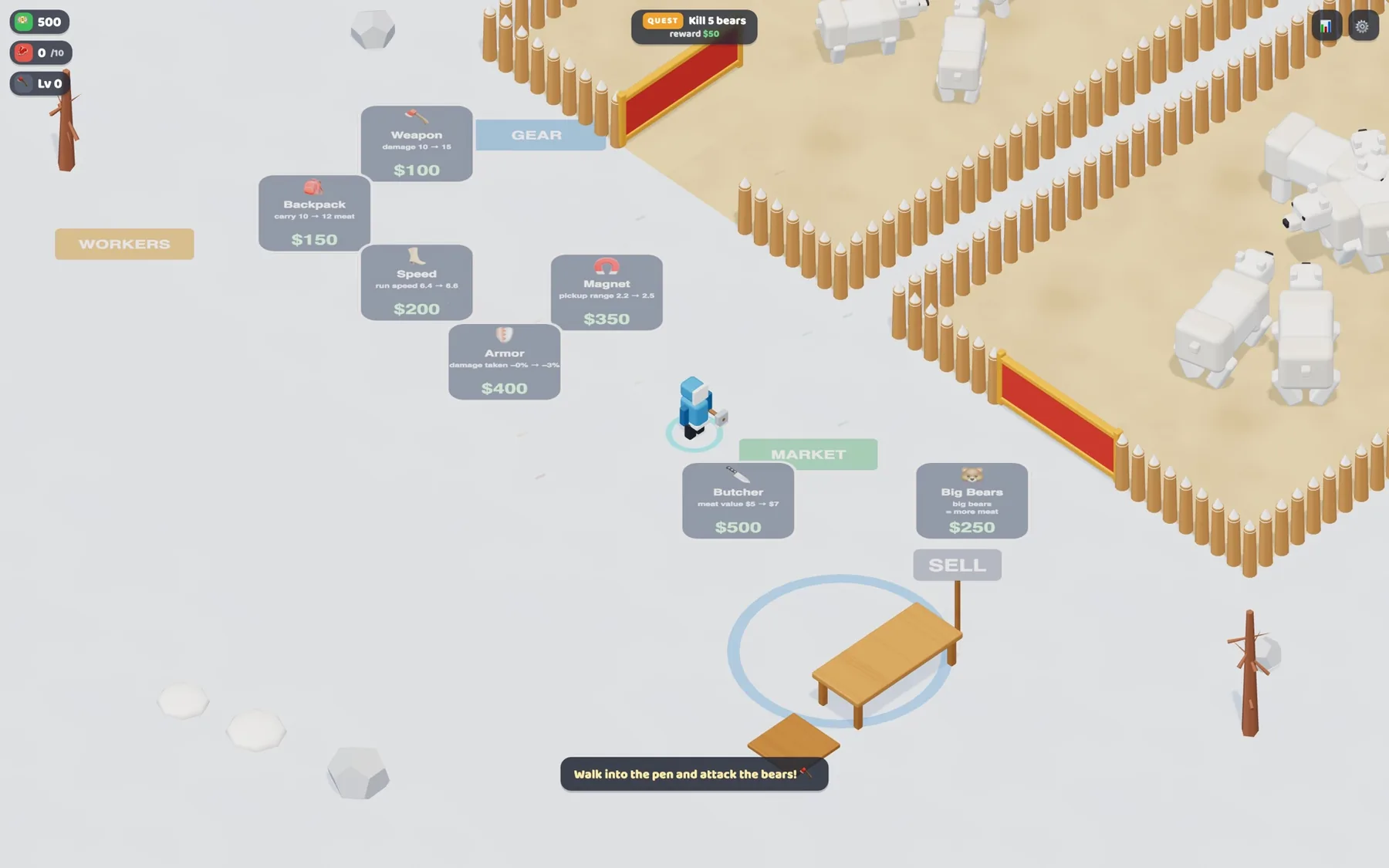
An arcade-idle bear ranch: hunt, stack the haul, run it to the sell table, upgrade, repeat
Web app
Watched one AI model around the clock and called it the moment it came back — then it did
Web app
The wiki for all your agents: point it at the markdown folder they write to, and it tells you what changed…
Web app
One number for your live audience — viewers summed across YouTube, Twitch, and Kick
Web app
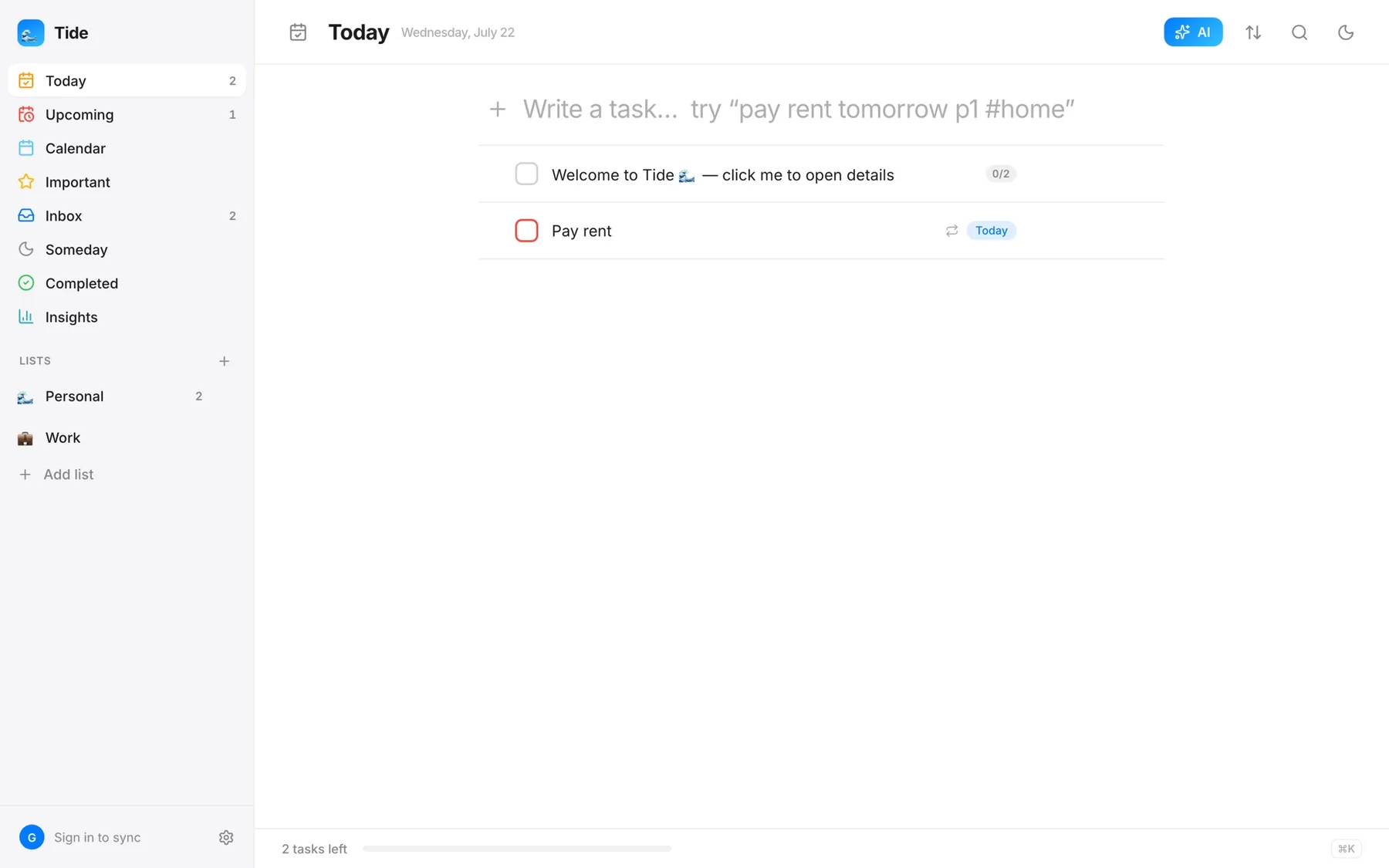
A to-do app that takes the power features seriously — natural language, recurrence, focus, review
macOS · Menu bar
Share your screen with your name and today's date tiled across it, so a leaked frame points home
30 small utilities that live up by the clock.
macOS · Menu bar
Share your screen with your name and today's date tiled across it, so a leaked frame points home
macOS · Menu bar
Start a long build and everything else steps out of the way until it has finished
macOS · Menu bar
Glance at the menu bar and see how long you have actually been at the screen today
macOS · Menu bar
Hear that your email turned up in a breach from your own Mac, not from a stranger's login
macOS · Menu bar
See which app is drawing the most power right now, and what that costs in carbon
macOS · Menu bar
The banner slid away before you read it — Catch keeps every notification so you can go back
macOS · Menu bar
Notice it is 6pm and not 9pm — every hour arrives as a chime and a panel from the notch
macOS · Menu bar
The thing you copied three copies ago, back at your cursor without leaving the app
macOS · Menu bar
Hand someone your Mac without handing over Messages — the apps you pick ask for Touch ID
macOS · Menu bar
Know how much hotspot data is left while you can still do something about it
macOS · Menu bar
Find the paragraph you typed into a box that lost it, encrypted and searchable on your own Mac
macOS · Menu bar
See every extension and plugin quietly running on your Mac, and switch off the ones you did not ask for
macOS · Menu bar
See which repos have uncommitted work before standup, without cd-ing through all of them
macOS · Menu bar
You meant Cmd+W and hit Cmd+Q — now the keys have to be held down before anything quits
macOS · Menu bar
The screen you are not looking at stops glaring at you — inactive monitors dim themselves
macOS · Menu bar
See which apps on your Mac are talking to the internet, to whom, and in which country
macOS · Menu bar
One key mutes the mic, and the menu bar tells you which way it is without a test
macOS · Menu bar
Drop a sound effect into a call or a stream by tapping one key, without unplugging anything
macOS · Menu bar
Snappier animations in the morning, calmer ones at night, on a curve you draw yourself
macOS · Menu bar
See who walked up to your Mac while you were away — face and motion detection, with every capture staying on the…
macOS · Menu bar
Twelve windows scattered across the screen, and one hotkey that lines them all up
macOS · Menu bar
Every Claude subscription's session and weekly limits in the menu bar, read side by side — and a one-click switch to…
macOS · Menu bar
Open a project's editor, terminal and browser in one click instead of four
macOS · Menu bar
SSD, CPU, and memory percentages, live in the menu bar
macOS · Menu bar
Loops a recorded clip of you through a virtual camera so you can step away from a call
macOS · Menu bar
Hit Ctrl+W outside the terminal and delete a word instead of closing the tab
macOS · Menu bar
The battery numbers macOS keeps to itself: cycle count, temperature, and how fast capacity is falling
macOS · Menu bar
Menu bar icons disappearing behind the notch — put all of them in one dropdown instead
macOS · Menu bar
Port 3000 is already in use — see what is holding it and kill it without opening a terminal
macOS · Menu bar
Give any display a notch — for testing notch-aware layouts, or because you miss having one
6 built for iPhone. None is on the App Store yet.
Web · iOS · Game
An arcade-idle bear ranch: hunt, stack the haul, run it to the sell table, upgrade, repeat
iOS
Contraction timer, hospital bag, feeds, diapers and sleep — one app for the last week of pregnancy and the first…
iOS
Photograph a receipt, get a categorized expense, and hand your accountant one PDF at the end of the quarter
iOS
Tinder for your camera roll — swipe left to clean, right to keep, and nothing is deleted until you confirm
iOS
Meals, pantry and training in one place, with the nutrition math done for you — and optional AI that runs on your own…
iOS
A muscle map that shows which groups you actually trained this week, and an editor for writing the plans you actually…
11 Mac apps with a window of their own.
macOS · Desktop
Messages from the one person you cannot miss — they land center-screen, not in a banner
macOS · Desktop
Keep one corner of a window in sight — a live crop of it, floating above whatever you are doing
macOS · Desktop
Search for the thing you saw on screen last Tuesday and never saved anywhere
macOS · Desktop
Switch projects with one hotkey and get the right apps, files and notes back on screen
macOS · Desktop
Drop a folder of rushes on it and get the total runtime before you quote the edit
macOS · Desktop
Find the moments worth keeping in a two-hour recording and hand your editor a timeline
macOS · Desktop
Press Space on a Markdown, JSON, CSV or code file and actually see it instead of an icon
macOS · Desktop
Answers your iMessage and WhatsApp chats for you, one thread at a time, with ten seconds to stop every reply
macOS · Desktop
The only copy of the photo is 800 pixels wide — make it four times bigger, not four times blurrier
macOS · Desktop
Put the files you would rather nobody opened behind Touch ID, and one hotkey to seal them
macOS · Desktop
Find the right folder by color instead of by reading — tint and label them like the system would
6 running on the web right now, and 2 that run on your own machine.
Web app
Know the minute a new AI model drops — every provider API swept every 60 seconds
Web · iOS · Game
An arcade-idle bear ranch: hunt, stack the haul, run it to the sell table, upgrade, repeat
Web app
Watched one AI model around the clock and called it the moment it came back — then it did
Web app
The wiki for all your agents: point it at the markdown folder they write to, and it tells you what changed and what…
Web app
One number for your live audience — viewers summed across YouTube, Twitch, and Kick
Web app
A to-do app that takes the power features seriously — natural language, recurrence, focus, review
Web app
Birthday and relationship reminders — the people you love, never forgotten
Web app
A local-only studio for a personal wiki — edit, graph, curate, and capture into it
Of 54 apps, 7 are ready to use today and 33 have public source anyone can read. The rest are still being built — and every app's page says exactly where it stands.
7
ready to use today
30
public source, no release yet
13
in the lab
4
on the way
I'm Mark. Most of what's here is native Swift — menu bar and desktop utilities for the Mac, and a handful of iPhone apps — plus a few web apps and one game that started as a fake mobile ad I couldn't stop thinking about. Every one of them exists to solve one specific problem better than whatever I was putting up with before.
I ship because I use these tools myself. If it's not good enough for my own workflow, it doesn't leave the lab.
Pricing, requirements, what gets collected, and why most of this is Swift rather than Electron.
Every app starts free. 5 are planned with a one-time Pro upgrade and 1 with a monthly one, and the hosted alert services charge for SMS and phone alerts. Each app's page carries its own price. Nothing that is free today becomes paid later.
Yes — every menu bar and desktop app is native Swift, built on Apple silicon. The one packaged download so far, Ghostmark, is an Apple silicon build that needs macOS 26; the others build from source for whichever Mac you compile them on. The web apps just need a browser.
Most Mac apps need macOS 13 (Ventura) or later and some need macOS 14 (Sonoma). The iPhone apps need iOS 16 or 17. The web apps and the game run in any modern browser, desktop or phone. Each app's page lists its own requirements.
No analytics in any of them. The Mac and iPhone apps keep your data on the device; the few that go online do it for one feature you asked for — HookCut sending audio for transcription, Canary checking a password against Have I Been Pwned without revealing it — and say so on their page. The hosted web apps run on a server, so they keep what the feature needs, like the email address you gave to get an alert. The one ad SDK anywhere is Google AdMob, for the opt-in rewarded ads in BEAROUT's iOS build.
For a menu bar utility it isn't close. Electron ships a full copy of Chromium and uses an order of magnitude more memory, and native Swift integrates properly with the menu bar, Touch ID, Accessibility and Quick Look. It's a tool choice rather than a religion, though — Tide's desktop version is built on Electron, because one React core across web, Mac and iOS was worth more than the megabytes.
Open an issue on the app's GitHub repository — the fastest route for anything with a repo behind it. For everything else the support page has the current address. Requests that solve a real problem get built first.
6 apps are built for iPhone: ReceiptLog, Vitality, Workout, BabyHQ, SwipeClean and BEAROUT. None is on the App Store yet. Each one's page shows where it stands, and their privacy, terms and support pages are already up.
33 repositories are public. 7 apps you can open or install right now. Start with whichever you trust less.
No spam, no schedule — only when something actually ships. Or just read the source.