
ArtificialWatch
ArtificialWatch tells you when a new model drops; ArtificialMeter tells you which of your subscriptions has room to use it
macOS · Menu bar
Every Claude subscription's session and weekly limits in the menu bar, read side by side — and a one-click switch to the one with room
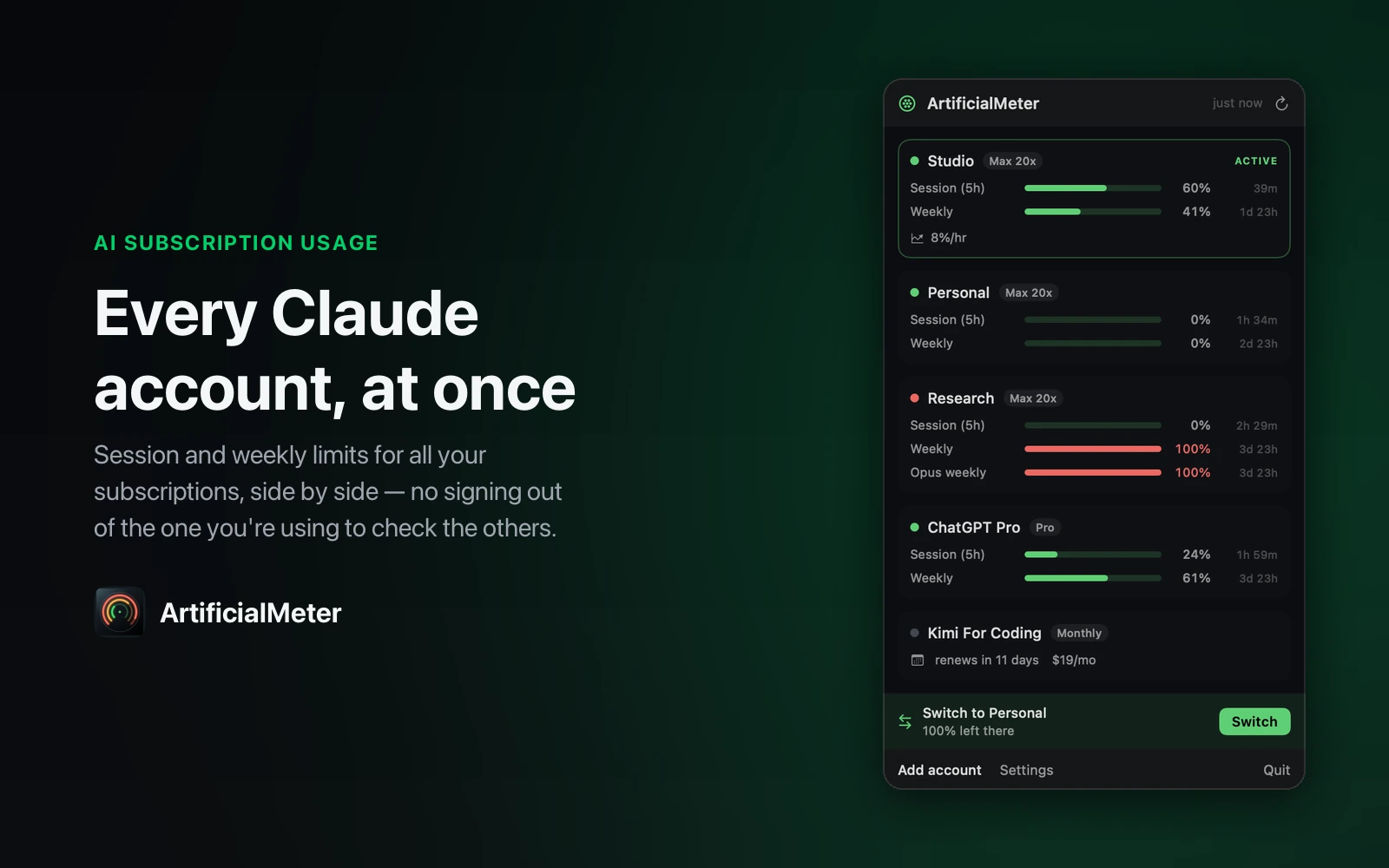
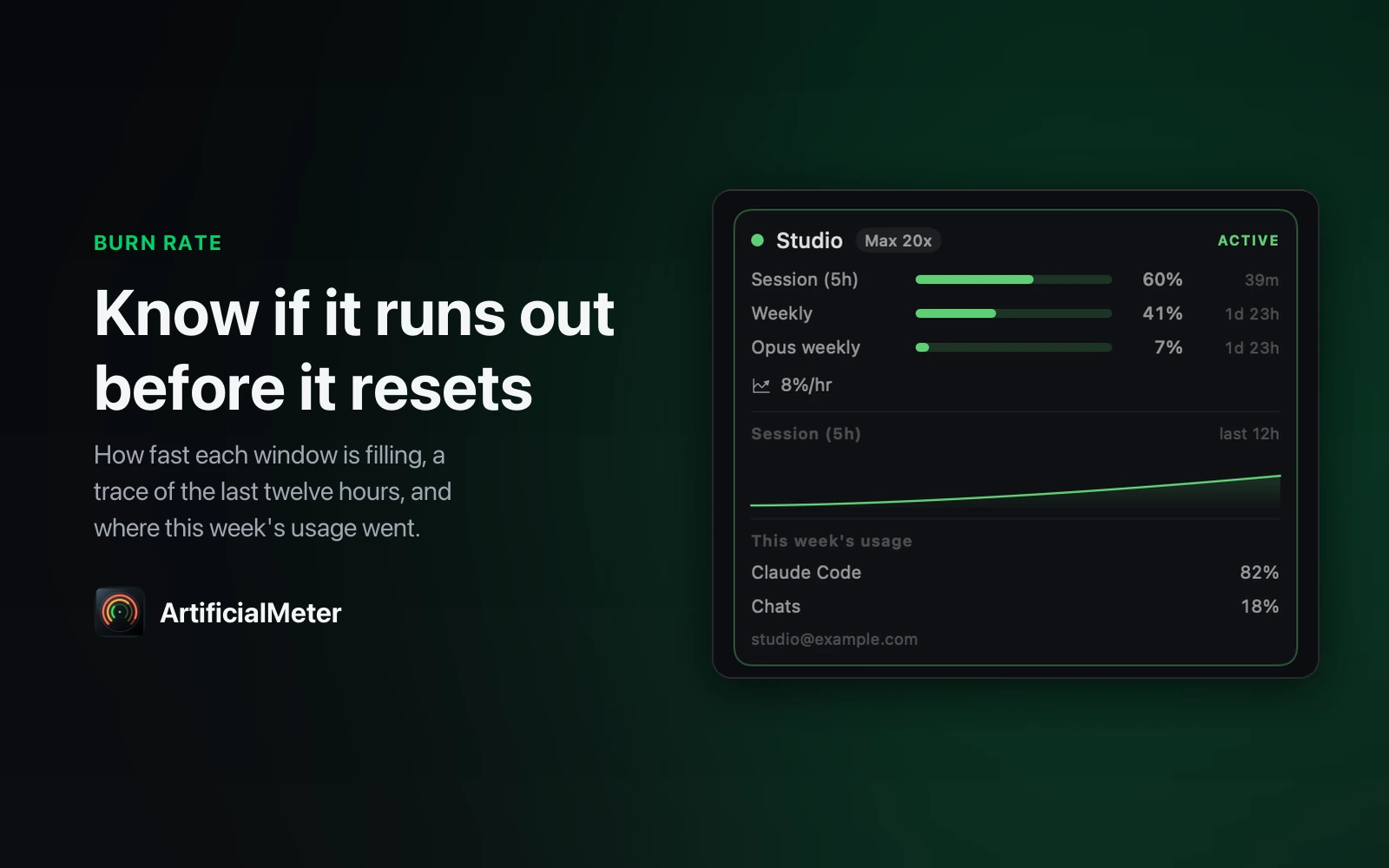
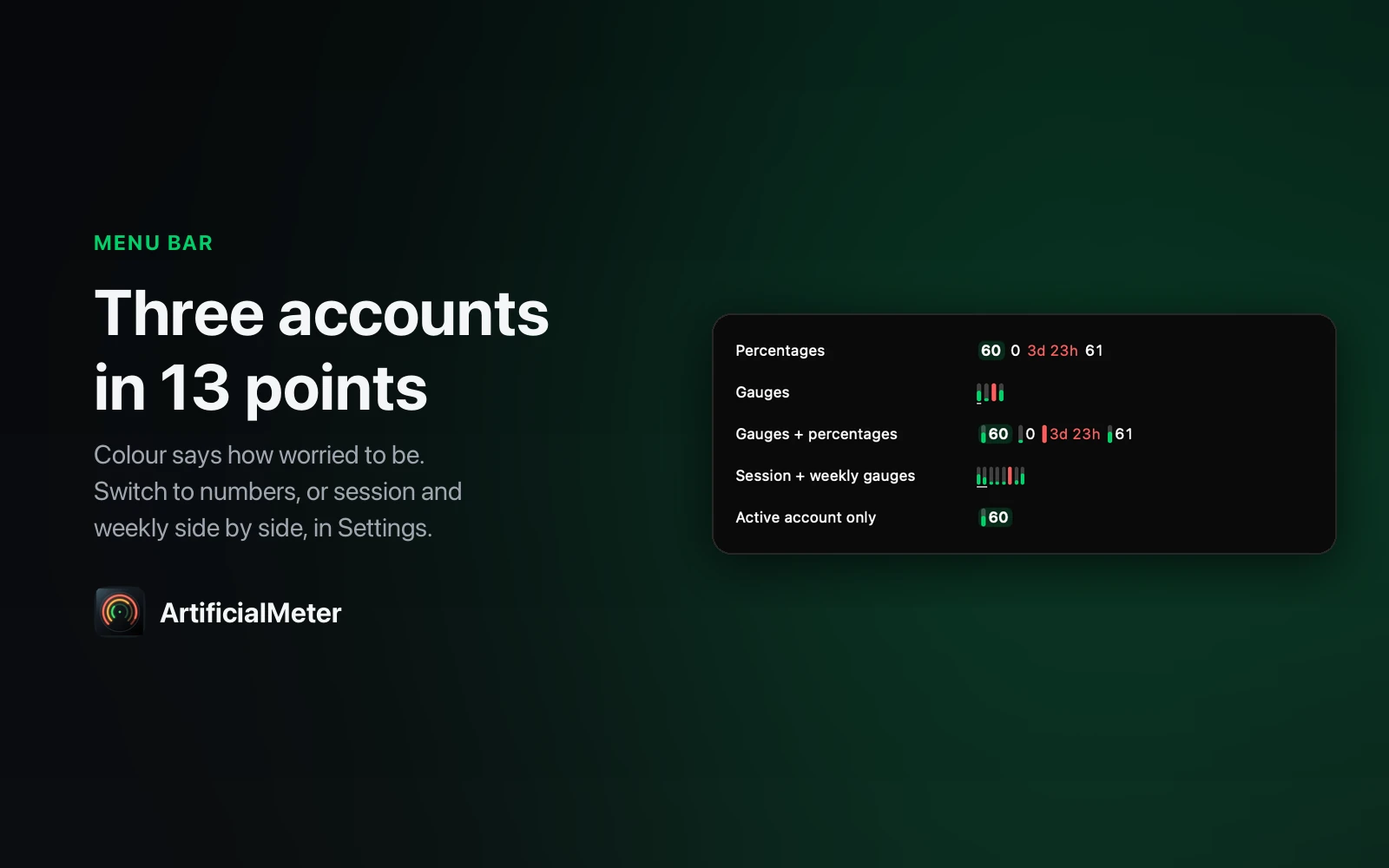
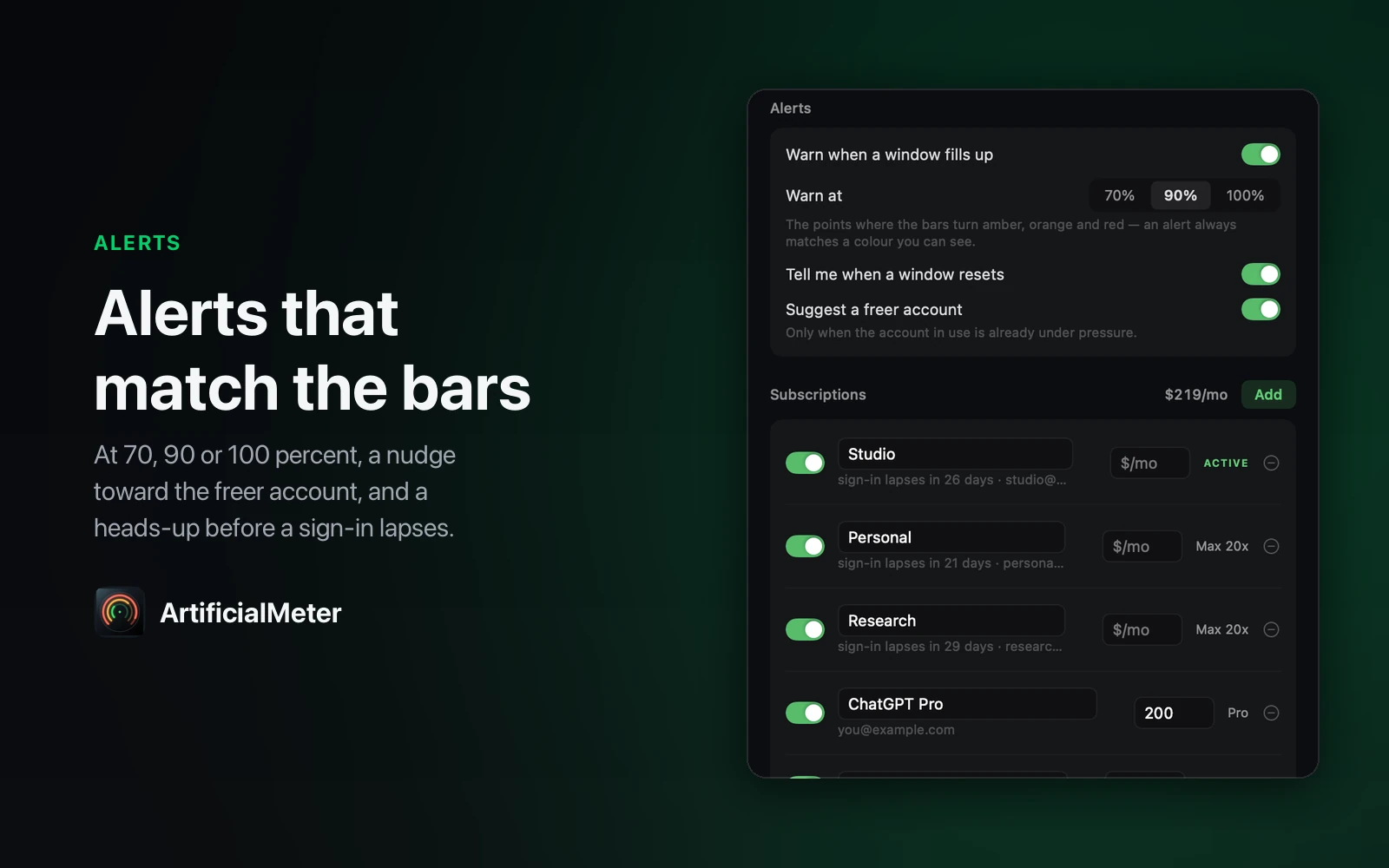
ArtificialMeter reads every Claude subscription you have at once, straight from each subscription's own quota endpoint: the 5-hour session window, the weekly window and the per-model weeklies, each counting down to its reset. Every account keeps its own sign-in, so none of them has to be the one you're signed in as to be read. When the account in use runs low it points at the one with the most room left, and switching Claude Code to it is one click — the outgoing account's sign-in is saved first, and the switch is read back before it counts. A burn rate says whether a window empties before it resets, alerts fire at the points where the bars change color, and it warns before a sign-in lapses. ChatGPT reads through the Codex CLI's own login; subscriptions it can't meter are tracked by renewal date and cost.
Anyone paying for more than one Claude subscription — or Claude plus ChatGPT — who wants to know which one has room before hitting the limit.
Anthropic rotates the refresh token on every exchange, and the old one stops working the moment it does.
So as soon as the app holds a copy of the login Claude Code is using, whichever of the two refreshes first signs the other out — and the first build managed that four different ways. The rule now is that the login Claude Code is using belongs to Claude Code: the app reads with Claude Code's token and never refreshes it, and a switch saves the outgoing sign-in before it replaces it. The other trap was the Keychain. Writing Claude Code's credential item through the Security framework rewrote its access control, and every running Claude Code session then asked for the login password on every read — so that item is only ever reached through the same `security` tool Claude Code itself uses.
ArtificialWatch tells you when a new model drops; ArtificialMeter tells you which of your subscriptions has room to use it
Built and running on my machine, but not packaged for release — so there's nothing honest to link to yet. Leave an email and you'll hear when it ships.
macOS · Menu bar
Share your screen with your name and today's date tiled across it, so a leaked frame points home
macOS · Menu bar
Start a long build and everything else steps out of the way until it has finished
macOS · Menu bar
Glance at the menu bar and see how long you have actually been at the screen today
macOS · Menu bar
Hear that your email turned up in a breach from your own Mac, not from a stranger's login
macOS · Menu bar
See which app is drawing the most power right now, and what that costs in carbon
macOS · Menu bar
The banner slid away before you read it — Catch keeps every notification so you can go back
macOS · Menu bar
Notice it is 6pm and not 9pm — every hour arrives as a chime and a panel from the notch
macOS · Menu bar
The thing you copied three copies ago, back at your cursor without leaving the app
macOS · Menu bar
Hand someone your Mac without handing over Messages — the apps you pick ask for Touch ID
macOS · Menu bar
Know how much hotspot data is left while you can still do something about it
macOS · Menu bar
Find the paragraph you typed into a box that lost it, encrypted and searchable on your own Mac
macOS · Menu bar
See every extension and plugin quietly running on your Mac, and switch off the ones you did not ask for